Link your bank for fast, secure payments
Aeropay is the most trusted way to connect your bank for payments and withdrawals.
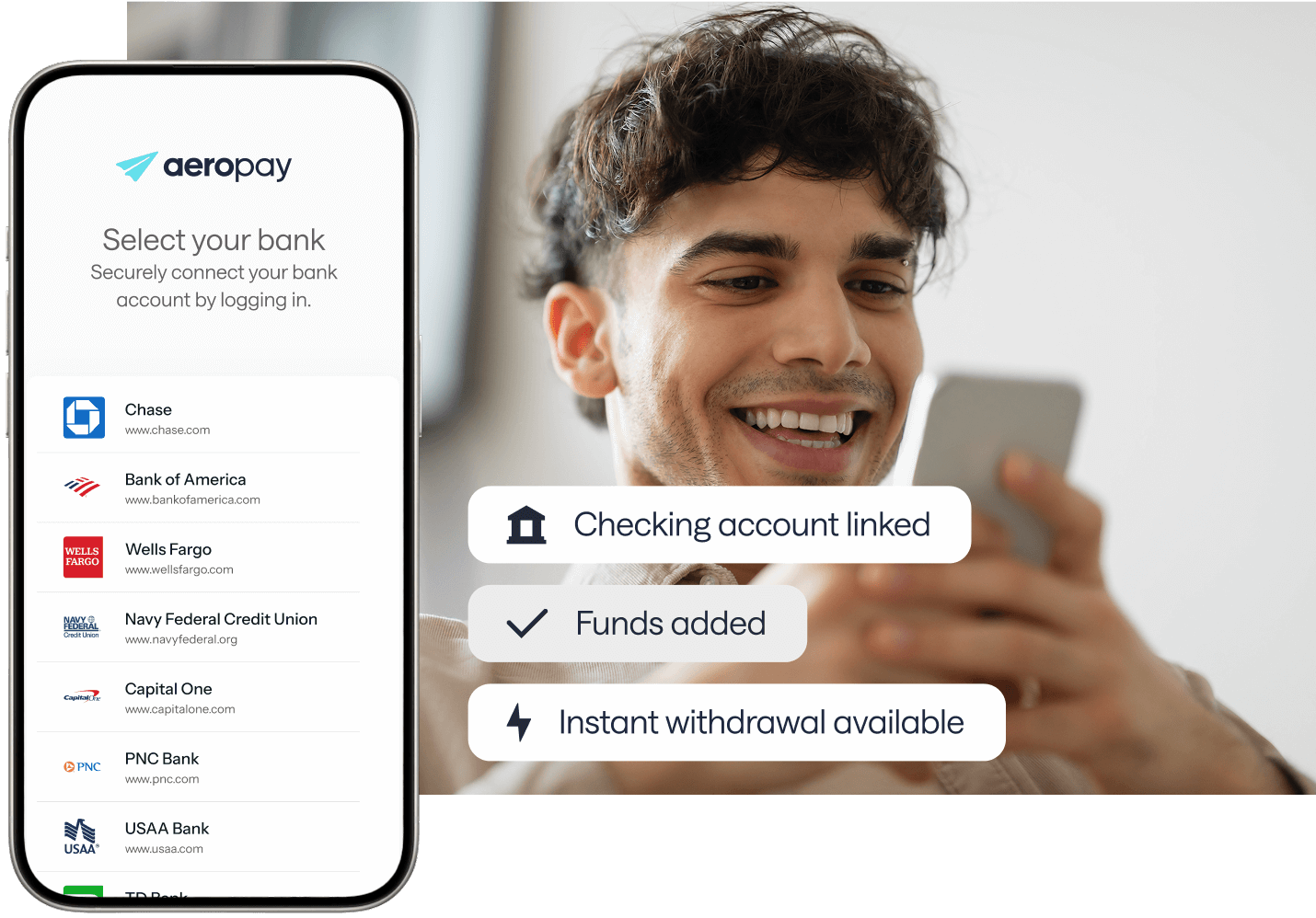
Aeropay is the most trusted way to connect your bank for payments and withdrawals.

We ask for just enough info to keep you and your money safe.
Aerosync connects you to 12,000+ banks.
Aeropay securely moves money to and from your bank.
Create your Aeropay account to pay and get paid at your favorite businesses.


Create your account, add your bank, and use Aeropay at any participating business.
Access your money in real time when you withdraw funds using a participating bank.
Spend only what you have, without hidden interest or borrowing traps.
Avoid fees and keep more of your money. Aeropay was built to protect your wallet, not drain it.
Find answers to frequently asked questions.
Yes, once. Customers create an Aeropay account by entering their name, email and phone number, verifying the phone number by text, and linking a checking account through Aerosync. After that, Aeropay recognizes returning users, including at other Aeropay merchants, so they can pay again without linking a bank again.
Aeropay does not generally support digital banks or neobanks like Chime, PayPal, or Green Dot. Some availability may vary by merchant or transaction type, but if your bank does not appear during bank selection, it is not supported for that Aeropay flow. Please select another supported checking account to continue.
A payment may show as pending when it has been submitted but is not fully completed by the merchant or posted by your bank. This can happen during order review, before an order ships, or when banks post payments at certain times of day. What to check: 1. Confirm with the merchant that they accepted your order. 2. Check your bank account for an authorized or pending debit. 3. Allow time for ACH processing. A standard ACH payment can take 3 to 5 business days from initiation to clear or fail. If the payment is still pending after that window, contact the merchant or Aeropay Support at support@aeropay.com with the transaction ID.
Once a payment is submitted through Aeropay, it may not be possible to cancel it directly. If you need to stop or reverse a payment, contact the business where you made the purchase as soon as possible. Depending on the payment status, the merchant may be able to void the payment before it is fully processed or issue a refund after it has processed. If a void or refund is issued, you can check your Aeropay Activity feed for updates. Any returned funds will appear in your bank account once your bank posts them.
Your available balance may be lower than your current or posted balance if you have pending transactions or recent deposits that have not fully cleared. Aeropay checks your available balance before approving a payment. Payments may also decline because of merchant limits, daily transaction limits at your bank, an expired bank connection, or a temporary network error. Before retrying, try these steps: 1. Check your bank’s available balance, not just the total or current balance shown. 2. If you have pending transactions or recent deposits, wait for them to clear and try again. 3. Make sure the payment is within the merchant’s limits. 4. Reconnect your bank in Aeropay to refresh the connection. 5. If the payment is still failing, contact Aeropay Support at support@aeropay.com with the date, amount, merchant name, and error message you saw. Please avoid repeated attempts, as they may cause more errors or temporarily limit additional attempts.
Refunds are initiated by the merchant, not Aeropay. Contact the business where you made the purchase and request the refund through them. Once the merchant issues the refund, the funds will be returned to your linked bank account through Aeropay and will appear in your Activity feed. If the merchant has confirmed the refund but you do not see it after a few business days, contact Aeropay Support at support@aeropay.com with the transaction ID and refund confirmation from the merchant.