This article was written by the payments nerds at Aeropay. Our goal is to provide you with solid insights to help your business operationalize more efficient, value-focused payments.
Most shoppers already move money from their banking app. In-store pay by bank brings that habit to the register, and it takes less setup than most stores expect.
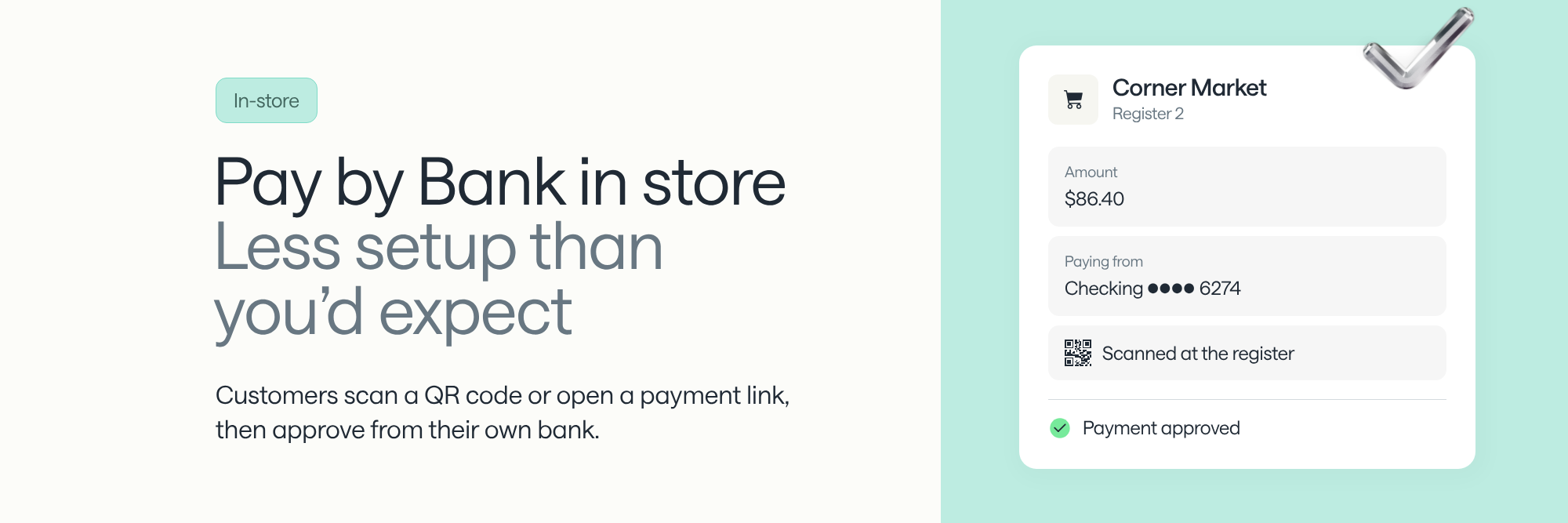
In US stores, the customer scans a QR code at the register or opens a payment link sent by text or email, then approves the payment from their bank on their phone. The store needs no new terminal, because the customer's phone does the work a card reader would. Returning customers pay with one confirmation.
The same bank link works online and on delivery, so a customer who pays by bank at the counter pays the same way wherever the store offers it.
The customer pays from their phone in four steps, and returning customers skip the second one.
Step two is the only one that takes effort, and it happens once. After that, the customer's bank link is saved and every later payment takes a single confirmation.
A way to show a QR code or send a payment link, and nothing else at the counter. The cashier enters the amount in the provider's merchant tool, picks the store location and sends the request by text, email or QR code. There's no terminal to buy and nothing for the customer to install.
That makes in-store pay by bank practical for pop-ups, delivery drivers and service businesses that bill at the customer's door. It also suits stores that want a new payment method without replacing their card provider or checkout flow. Pay by bank sits alongside cards at the register, and the store keeps its card processor.
The customer links their bank once, and that link pays everywhere the store accepts pay by bank. The account they linked at the register also pays online and on delivery, and stores that deliver can build driver tipping into the same checkout.
A shopper who orders online for pickup and adds an item at the counter pays both ways from the same account. For how pay by bank works on the online side, see whether e-commerce merchants should offer pay by bank.
The same day when the payment runs over Same Day ACH, which funds the store's account within the same business day. Card revenue reaches the store's bank only after the processor batches and funds it, on a schedule the processor sets. For each rail's settlement timing, see pay by bank vs. credit cards: which costs merchants less?
The approval at the register happens in real time. For large orders, a real-time balance check approves the sale against the funds in the account before the customer leaves, and the payment is scored for fraud and return risk at the same moment.
The best fit needs no new hardware, works in every channel the store sells in, and protects the store if a payment comes back after the customer leaves. Six things to check:
Aeropay supports in-store payments by QR code, payment link, text or email, with no new hardware, and the same bank link pays online and on delivery. For a broader checklist that isn't specific to in-store, see how to choose a pay by bank provider in the US.
Stores with thin margins, large tickets or restricted card acceptance see the clearest payoff.
No. The customer scans a QR code or opens a link in their phone's browser and approves the payment through their bank. Where the bank supports it, customers who have their bank's mobile app approve inside that app, which they already use.
Yes. The customer approves the payment with their own bank, logging in on the bank's screen where the bank supports it. The store never handles a card number or banking password, and there's no card data at the register to skim. The guide to pay by bank security for US businesses covers the merchant's side.
The returned amount comes back out of the store's account. Returns for insufficient funds or a closed account arrive within two banking days, and a consumer has 60 days to dispute a debit as unauthorized, per EPCOR's return reason code guide. Some providers guarantee eligible bank-initiated returns up to a coverage limit.
Book time with our team and we’ll run a live test sale through the QR code and payment link flow.